

Help › Schedules and balances
Schedules by group
A schedule says what is due and when: monthly tuition, weekly childcare, rent on the 1st, annual dues, a one-time registration fee, instalments.
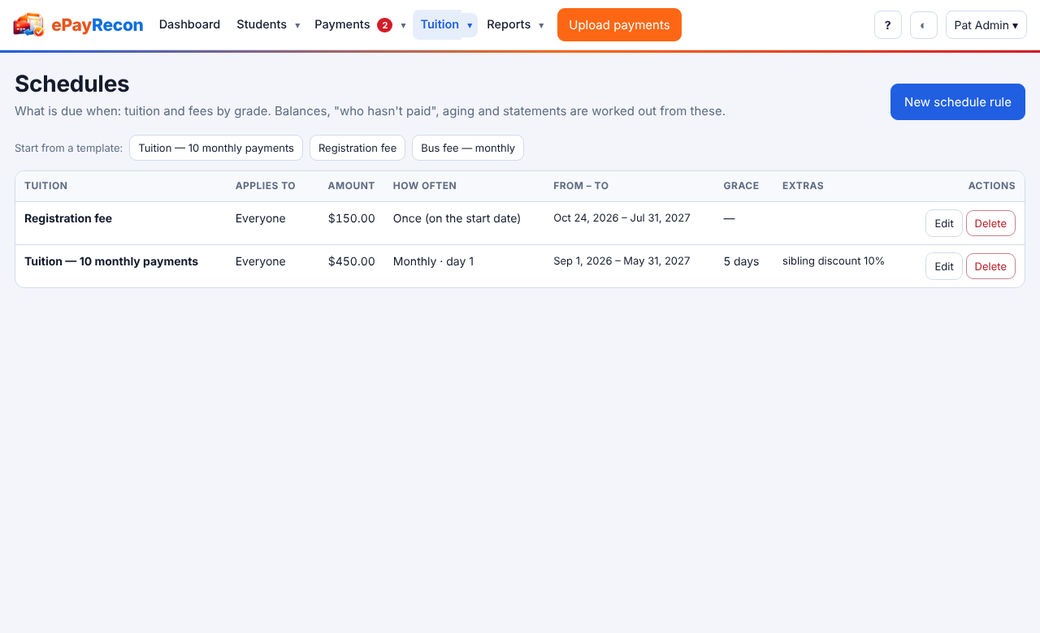
- Open Schedules. Add one of the templates for your type in one click, or Add a schedule.
- Set the amount, how often (monthly, weekly, on dates you choose, once…), the first and last date, and which groups it applies to.
- Optional: a grace period, a late fee (flat, % or per day with a cap, once per period), a sibling discount, an early-bird discount, proration for people who start mid-period.
Changing a schedule changes balances from the date you choose; payments already received stay.
Still stuck? Contact us.